
Dental X-Ray Sensor Replacement Guide
· David Hanning
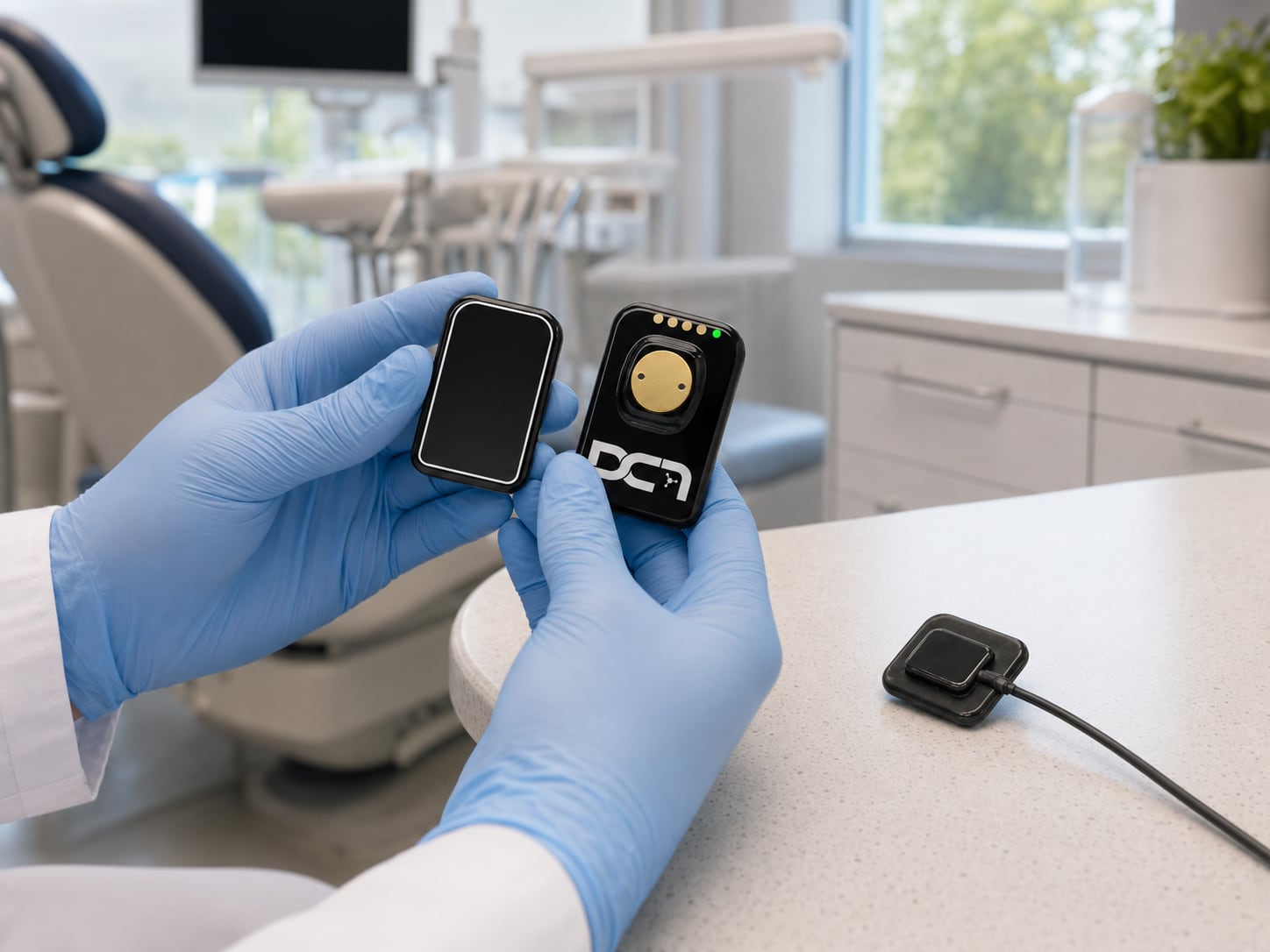
When an intraoral sensor starts producing inconsistent images, drops connection mid-exam, or forces your team to retake scans, the problem is no longer just technical. It becomes a workflow issue, a patient experience issue, and often a revenue issue. This dental x ray sensor replacement guide is designed for practices that need to make a smart decision quickly without creating more downtime than they already have.
For many offices, sensor replacement gets delayed because the existing unit still works some of the time. That is usually the most expensive stage to operate in. Intermittent failures slow down assistants, frustrate providers, and increase the chance that image quality suffers at the exact moment you need diagnostic confidence. A failing sensor rarely improves with time. The real question is not whether to act, but whether to repair, replace like-for-like, or use the moment to upgrade.
When a dental x ray sensor replacement guide becomes necessary
Not every sensor problem means immediate replacement. Some issues point to software settings, USB connection problems, X-ray source alignment, or training gaps. But there are clear signs that the sensor itself may be nearing end of life.
Recurring artifacts, image dropouts, flickering, and intermittent recognition by the imaging software are common warning signs. Physical cable wear near the sensor head or USB connector is another major indicator, especially in busy operatories where the sensor is handled all day. Cracked housing, inconsistent sharpness, or patient discomfort caused by damaged edges also deserve attention because they affect both compliance and clinical usability.
Age matters, but usage matters more. A five-year-old sensor in a low-volume office may still perform reliably, while a heavily used sensor in a multi-provider practice may be ready for replacement sooner. If your team is adjusting workflow to work around a sensor, that usually means the device is already costing more than its remaining value justifies.
Repair or replace?
This is where practice leaders need a practical framework rather than a simple rule. Repair can make sense when the sensor is relatively new, the failure is isolated, and the expected turnaround is short. If the unit integrates well with your current imaging software and your team is comfortable with it, repair may protect your investment.
Replacement often makes more sense when failures are recurring, repair costs are stacking up, or the sensor model is no longer well supported. The hidden cost of repair is not only the invoice. It includes shipping time, backup workflow limitations, staff frustration, delayed treatment planning, and the possibility that another issue appears soon after service.
There is also a strategic consideration. If your current sensor has been a weak point in your imaging setup, replacement may be the right time to improve image quality, durability, ease of positioning, or software performance. Practices that only compare upfront price can miss the larger operational return.
A simple decision filter
If repair cost approaches a meaningful percentage of a new sensor, replacement deserves serious consideration. If the vendor cannot offer dependable turnaround or support, replacement becomes even more attractive. If your office has no reliable backup sensor and the affected operatory drives significant production, downtime should carry real weight in the decision.
How to evaluate replacement options
A good dental x ray sensor replacement guide should focus on fit, not just features. The right sensor is the one that works with your software, supports your providers’ diagnostic needs, and holds up under your practice’s daily demands.
Start with compatibility. Some practices assume any sensor can be dropped into an existing setup with minimal effort. That is not always the case. Imaging software integration, driver support, computer specifications, calibration requirements, and operatory hardware can all affect implementation. Before selecting a replacement, confirm exactly how it will function within your current environment.
Next, look at image quality in clinical terms. Higher theoretical resolution is not the whole story. Sharpness, contrast performance, consistency across exams, and how quickly staff can capture usable images matter more in real practice. Endodontic, restorative, pediatric, and general dentistry workflows may prioritize different aspects of sensor performance.
Durability should be assessed honestly. A sensor in a high-volume office will be exposed to frequent repositioning, disinfecting, cable movement, and handoffs between team members. Reinforced cable design, housing construction, and manufacturer warranty support are not minor details. They directly affect total cost of ownership.
Then consider ergonomics. Sensor size, thickness, corner shape, and comfort influence capture speed and patient acceptance. A technically excellent sensor that your team dislikes positioning can still create inefficiency. This is especially relevant in pediatric practices and specialty environments where positioning challenges are routine.
Budgeting beyond purchase price
The purchase price of a new sensor is only one line item. A better replacement decision accounts for setup, training, support, and the potential need for backup inventory.
Many practices underestimate the value of implementation support. If a sensor arrives quickly but takes days to configure correctly, the speed of delivery does not help much. The better question is how fast your team can be clinically operational with dependable image capture.
It is also worth thinking about redundancy. For larger practices or offices with multiple providers, a backup sensor can protect productivity and reduce decision pressure when a unit fails. That may sound like an added cost, but for many offices it is a practical risk-management move.
Replacement can also be a chance to standardize across operatories. If your office currently uses mixed imaging hardware with different workflows and user experiences, consolidating can simplify training and reduce support issues over time.
Avoiding workflow disruption during sensor replacement
Even a good replacement becomes frustrating if rollout is handled poorly. The goal is not just to install a new sensor. It is to keep patients moving, maintain image quality, and help the team adjust quickly.
Start by planning around the schedule. If possible, install and test outside peak patient hours. Confirm that computers, software versions, drivers, and acquisition settings are ready before the unit is needed for live care. A short verification process with sample captures in each operatory can prevent avoidable problems.
Training should be specific and brief. Most teams do not need a long lecture. They need to know how the new sensor positions differently, how images are acquired, what changed in the software interface, and who to contact if an issue appears. Practical, operatory-level guidance is what keeps the day on track.
If the practice is replacing a failed sensor under pressure, communication matters. Staff should know whether there is a temporary workaround, which rooms are affected, and how to route urgent imaging needs. That kind of planning reduces stress and protects the patient experience.
What support should look like
This is where many replacement decisions succeed or fail. A sensor is not just a piece of hardware. It is part of a clinical system that includes software, X-ray units, computers, networking, training, and service response.
Practices should expect more than shipping confirmation and a user manual. Strong support includes pre-purchase compatibility review, installation guidance, workflow training, and post-install troubleshooting. If your office relies heavily on imaging for diagnosis and treatment acceptance, support quality should be treated as part of the product itself.
That is especially true for practices without dedicated in-house IT or imaging specialists. In those environments, a consultative partner can help you avoid mismatched equipment, incomplete setup, and underused features. Dental TI works with practices in exactly that context, helping offices evaluate imaging technology not only for clinical performance, but for long-term productivity and return on investment.
The best time to replace is before failure becomes normal
The strongest replacement decisions are usually made before a sensor becomes a daily problem. If your team is already expecting dropped images, moving patients to another operatory for radiographs, or repeating scans because the sensor is unreliable, the cost is no longer theoretical. It is already affecting care and efficiency.
A thoughtful replacement process should improve more than image capture. It should reduce downtime, simplify workflow, support staff confidence, and strengthen diagnostic consistency. That is the standard worth using when you evaluate your next move.
If your sensor is showing signs of age, treat that as a planning window rather than a nuisance. The right replacement decision can stabilize operations now and put your imaging workflow on better footing for the years ahead.